> ## Documentation Index
> Fetch the complete documentation index at: https://bruno-a6972042-docs-api-docs-split-more-menu-ryan.mintlify.site/llms.txt
> Use this file to discover all available pages before exploring further.
# Scripting
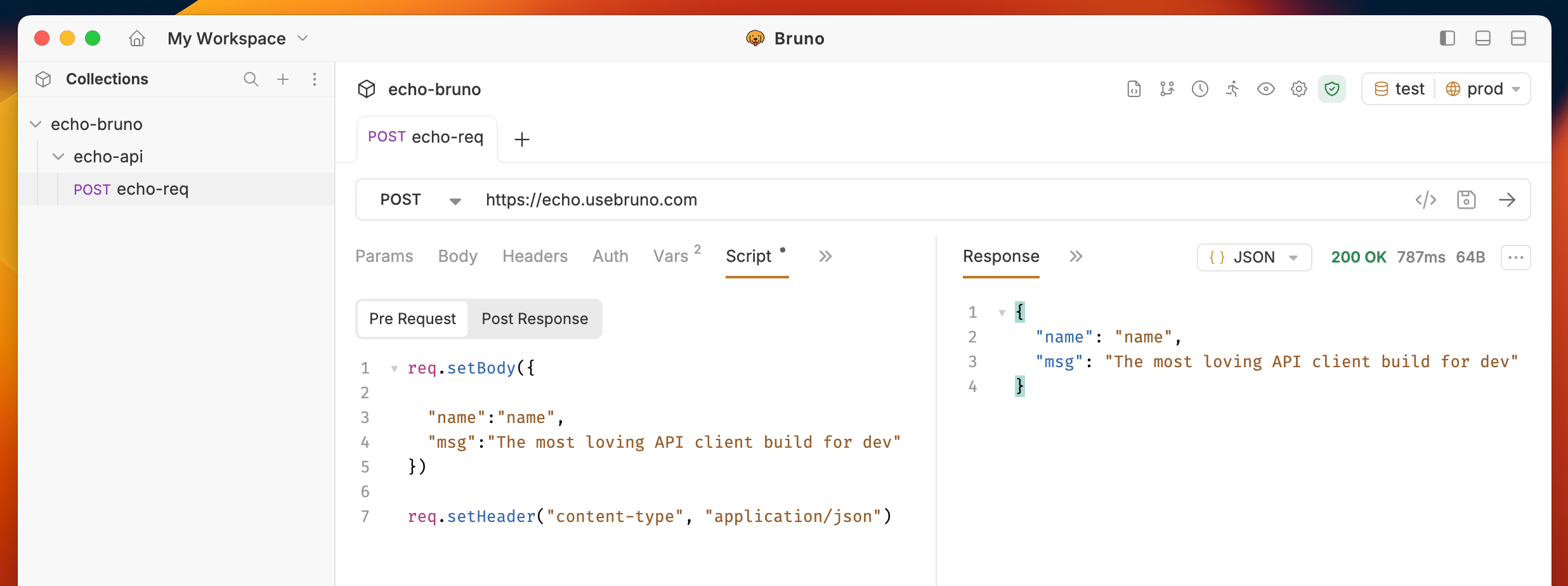
Bruno allows you to write JavaScript code before sending a request
(Pre-request) and after receiving a response (Post-response). Use scripts to
generate dynamic data, manipulate requests, parse responses, and set
variables.
 The complete `bru` API — request and response methods, environments, and
utilities.
When pre-request and post-response scripts run, and in what order across
collection, folder, and request levels.
Libraries bundled with Bruno, ready to require in your scripts.
Use npm packages in your scripts with Developer Mode.
Keep shared script code in standalone `.js` files inside your collection.
Generate random data like names, emails, and UUIDs on every run.
Pass data from one request to the next and control execution flow.
The `req` object — inspect and modify outgoing requests, and send
synchronous requests from scripts.
The `res` object — read status, headers, and body, and query response data.
Get and set variables from scripts with the Vars tab.
The complete `bru` API — request and response methods, environments, and
utilities.
When pre-request and post-response scripts run, and in what order across
collection, folder, and request levels.
Libraries bundled with Bruno, ready to require in your scripts.
Use npm packages in your scripts with Developer Mode.
Keep shared script code in standalone `.js` files inside your collection.
Generate random data like names, emails, and UUIDs on every run.
Pass data from one request to the next and control execution flow.
The `req` object — inspect and modify outgoing requests, and send
synchronous requests from scripts.
The `res` object — read status, headers, and body, and query response data.
Get and set variables from scripts with the Vars tab.